The tide now
Tap Tides on the Home screen. Nexus uses the tide station nearest the boat.
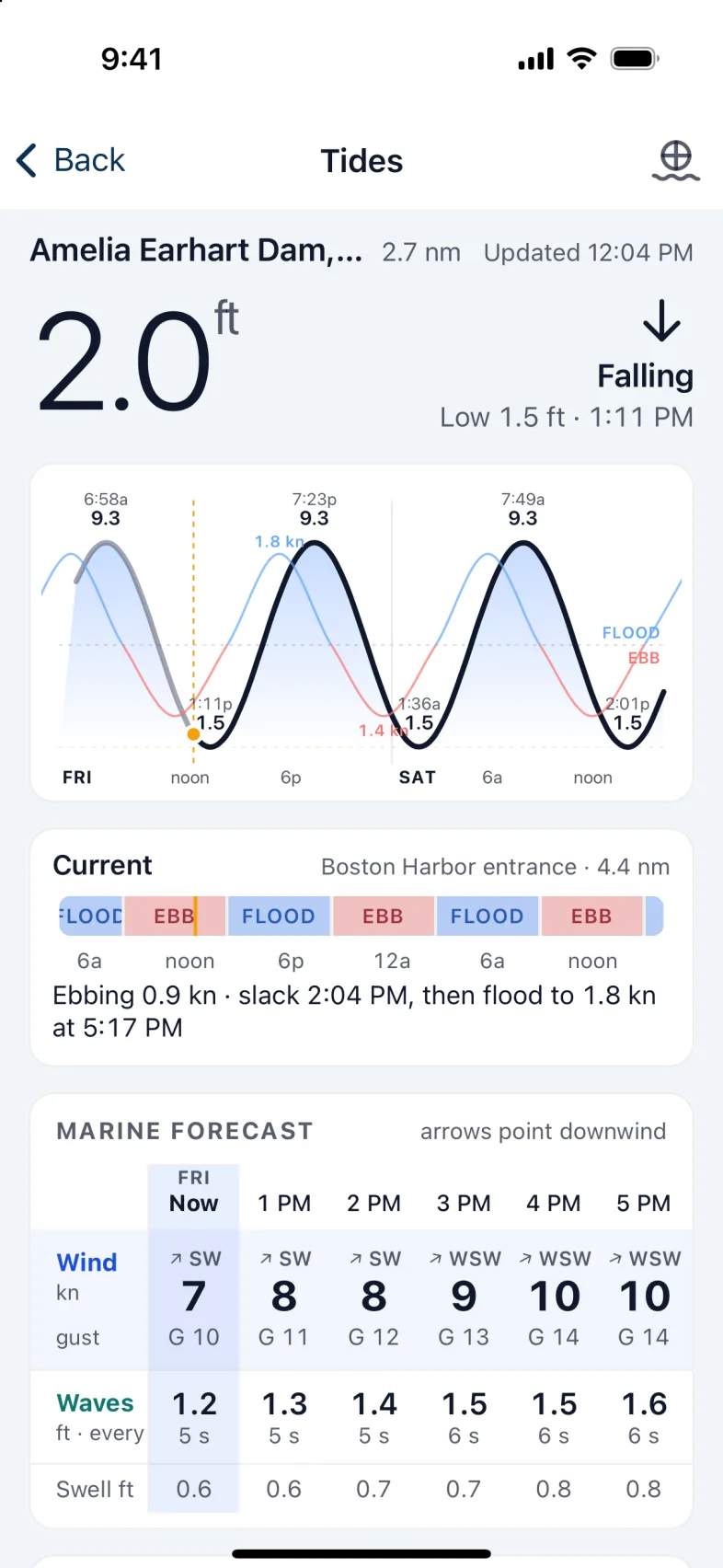
- At the top: the station, how far away it is, the height of the tide now, whether it's Rising or Falling, and the next high or low.
- The tide curve: from the last few hours to a day and more ahead, with each high and low marked with its height and time, and a line for now. The current is drawn over it: FLOOD above the line, EBB below.
- Current: what the current is doing now and when it turns, from the nearest current station. With none nearby, Nexus estimates it and says so.
Marine forecast
Hour by hour for the next two days, with now shaded. Slide it sideways to see more. Each hour shows:
- Wind: direction, speed and gusts. The arrows point downwind, the way the wind is blowing.
- Waves: height and period.
- Swell: height.
Inland and up rivers there's no sea state, so it shows wind only.
Marine advisories from the National Weather Service appear only when one is in force or coming, with when it starts and ends.
At the bottom: sunrise and first light, sunset and dark, the moon, and the sea state and temperature from the nearest buoy, or from the forecast when there's no buoy.
Tip: The boat fetches the tides and the marine forecast every 2 hours, using its own internet link. On a metered link, choose Every 6 hours under Settings › Data usage › Tides & marine forecast.
Another station
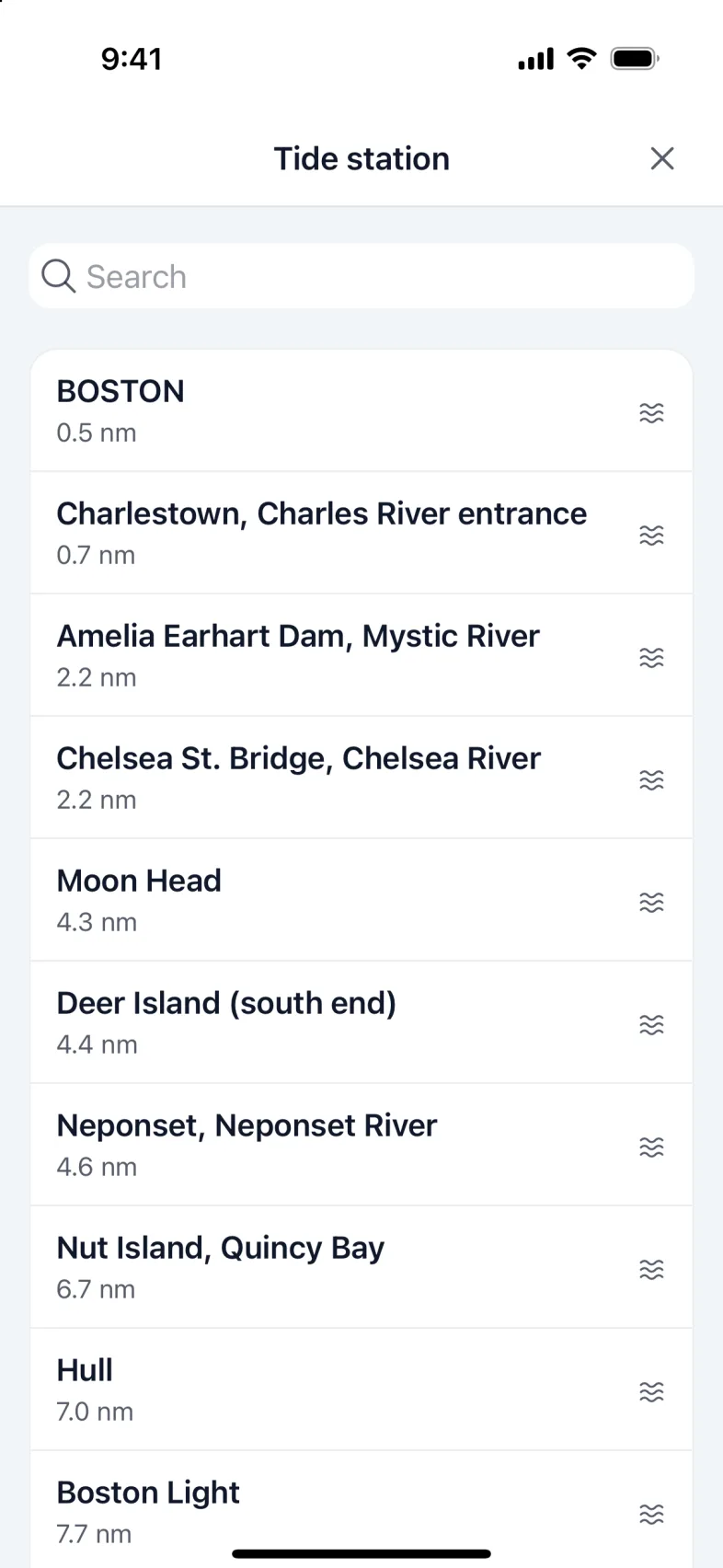
- Tap the station name at the top.
- Search by name, or pick from the list, nearest first.
- Tap a station. The tide and the curve change to it.
Original station takes you back to the boat's own.
Note: Choosing a station changes only what this phone shows, and it needs internet on the phone. The current and the marine forecast stay those of the boat's own station. Stations are in the United States.
Version 1.1 · updated 2026-10-18