What's on it
HUD stands for heads-up display. It puts what matters under way on one screen, most urgent first. Tap HUD on the Home screen. It opens where you left it; tap HUD at the bottom to come back to the main screen.
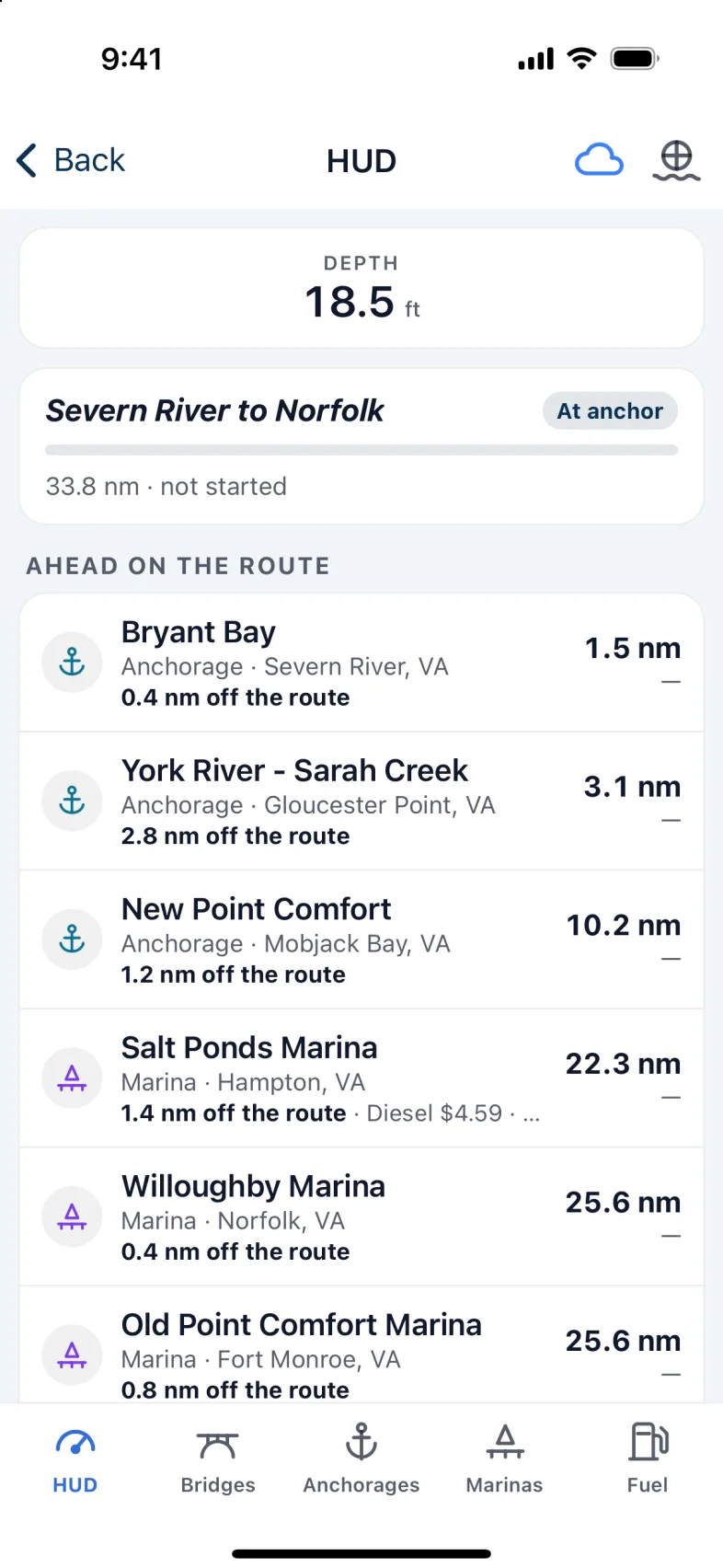
From the top:
- SOG, COG and Depth. At anchor, just depth.
- Safety: a critical alarm, being inside a restricted area, or a dangerous inlet ahead.
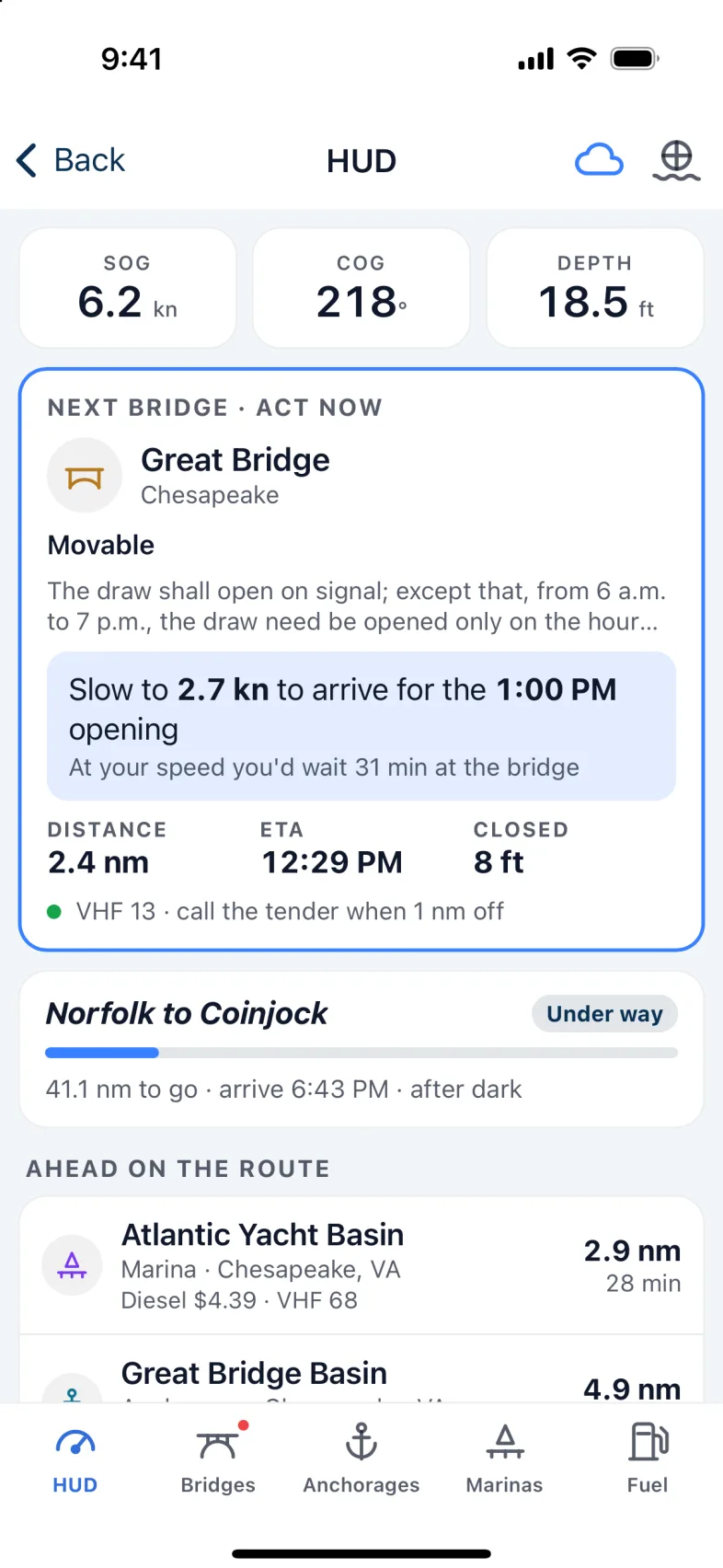
- The next bridge, but only when it needs you. See below.
- The next lock, when it needs you: when to arrive for a lockage, who to call, or "Closed to navigation — choose another route" in red.
- Your route: how far to go, when you'll arrive, and whether that's before sunset or after dark.
- Ahead on the route: anchorages, marinas, bridges and locks in the order you'll reach them, with how far and how long. Without a route, it lists what's Nearby. Tap one for the full details, including fuel prices and VHF channel for marinas.
- Conditions: wind, water, current and waves from the nearest station.
Along the bottom are the other sections: Bridges, Anchorages, Marinas and Fuel.
Bridges
A bridge card appears when a bridge needs you: an opening bridge you need to time or call, or a fixed bridge lower than your boat. Bridges that are normally left open don't, unless they're too low for you even when open. The Bridges tab shows a red dot while one is up.
The card tells you what to do:
- Speed advice for scheduled openings: "Hold 6.2 kn — you'll make the 2:00 opening", "Speed up to 7.6 kn to make the 2:00 opening" when a little more speed gets you there, or "Slow to 2.0 kn to arrive for the 2:00 opening" rather than wait at the bridge.
- Who to call, for bridges that open on request: "call the tender on VHF 13".
- Can't pass, in red, for a fixed bridge lower than your boat's air draft: "4 ft too low — choose another route". It's also red for an opening bridge that doesn't open high enough for your mast: "4 ft too low even when open".
Nexus can only tell you a bridge is too low if it knows your air draft. Until you set it in your boat's details, you get only a general "Low clearance" warning near low bridges.
Warning: Bridge heights and openings come from published schedules and your boat's air draft. Set the air draft in your boat's details, read the clearance boards, and listen to the tender.
The other sections
- Bridges shows the next bridge in full, then every bridge after it.
- Anchorages shows tonight's sunset, how many anchorages ahead you'll reach before dark, and the list.
- Marinas lists the marinas ahead.
- Fuel finds Diesel or Gas ahead on your route, or the Cheapest, with the price and how old it is.
Note: Fuel prices are as the marinas last published them. Call ahead before you count on one: tap a marina to open its details, then tap Call to ring it from your phone, or use the VHF channel shown. If no channel is listed, hail on 16.
The route on the HUD is for reading. To start, stop or steer a route, use the Chart.
Version 1.1 · updated 2026-10-18