The Home screen
Everything in Nexus starts from the Home screen: twelve tiles, each with its name underneath. Tap a tile to open it. The back arrow at the top left of every screen (Back on an iPhone or iPad) takes you back.
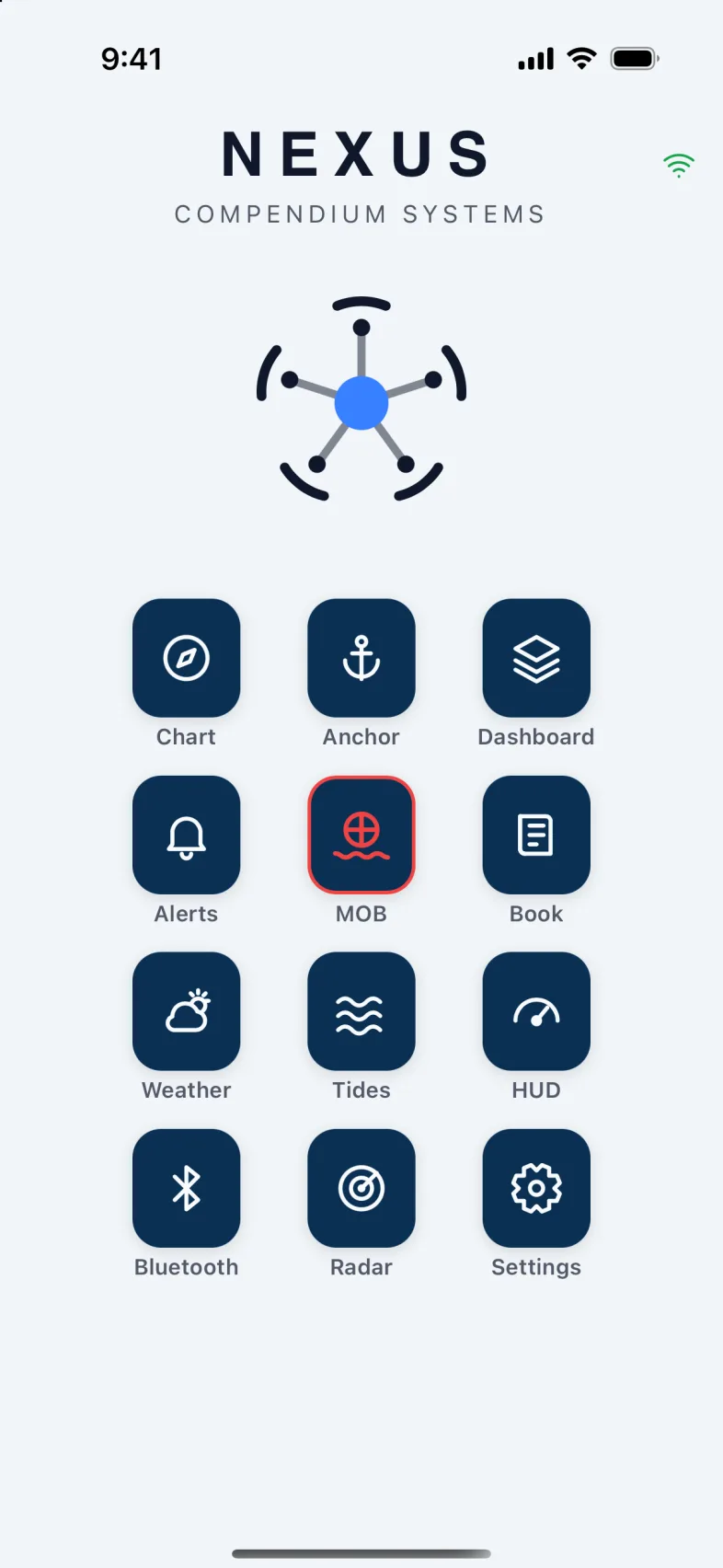
- Chart: where you are, the boats around you, and the routes you plan and follow.
- Anchor: set the anchor alarm and watch the boat swing.
- Dashboard: your instruments, laid out as you like them.
- Alerts: what the boat is warning you about, and which alarms you want.
- MOB: man overboard. The tile with the red ring, so you can find it without reading.
- Book: the ship's log, the boat's equipment, and the work it needs.
- Weather and Tides: the forecast and the tide where the boat is.
- HUD: the one screen to keep open under way.
- Bluetooth: sensors the boat reads over Bluetooth.
- Radar: the boat's radar, if it has one Nexus can read.
- Settings: your boats and account, units, light or dark, and Diagnostics if something seems wrong.
Warning: When someone is overboard, every phone aboard switches to the man overboard screen, and the MOB tile turns solid red and pulses. See Man overboard.
At the top right of every other screen you'll find the lifebuoy for man overboard, and a bell with a number when the boat has alerts. Tap the bell to open Alerts.
A phone always shows Nexus upright. A tablet can be turned sideways: Home then puts the logo beside the tiles.
Is the phone talking to the boat?
The small icon at the top of the screen shows how this phone reaches your boat: Direct on the boat's own Wi-Fi, Cloud over the internet, or a Wi-Fi with a line through it when it can't reach the boat at all. Before you rely on it explains each one.
When the app can't reach your boat, Home says so: "Can't reach" your boat "right now. It may be switched off or out of signal; the app reconnects when it answers." If the phone itself has no signal, it says "This phone is offline" instead. You don't need to do anything: Nexus reconnects by itself.
Tip: The screens behind the tiles show what the boat last told them. While the boat can't be reached, the numbers don't change, and the phone won't hear new alarms.
In this section
- 4.1. AnchorSet the anchor alarm, watch the boat swing, fence off a neighbour, and sleep.
- 4.2. AlertsWhat the boat is warning you about, how to answer an alarm, how loud each one is, and choosing which you want.
- 4.3. Man overboardRaise it in two seconds, steer back to the person, and let the crew's watches raise it for you.
- 4.4. ChartWhere you are, the boats around you, waypoints, routes you plan or import, and following a route.
- 4.5. DashboardYour instruments, laid out the way you like them, on as many pages as you want.
- 4.6. The bookThe ship's log that writes itself, the boat's equipment and its maintenance, what's aboard, your papers, and a boat you can ask questions.
- 4.7. WeatherThe forecast for wherever the boat is, fetched by the boat itself.
- 4.8. TidesThe tide and current where the boat is, the marine forecast hour by hour, and any marine warnings.
- 4.9. HUDThe one screen to keep open under way: bridges that need you, your route, what's ahead, and fuel.
- 4.10. BluetoothAdd the wireless sensors your boat can hear: RuuviTag temperature tags and Victron battery monitors.
- 4.11. RadarThe boat's radar picture on your phone or tablet, with AIS on top and a guard ring while you're anchored.
- 4.12. SettingsYour boats, the boat's internet and speaker, units, display, diagnostics, sharing your trips, your account, and what this phone remembers.
Version 1.1 · updated 2026-10-18